Article Description: Discover the essential troubleshooting and maintenance skills you will learn in the CompTIA A+ course. Build practical IT support expertise and prepare for a rewarding career in technical support, help desk, and computer maintenance with the Institute of Advanced Technology (IAT).
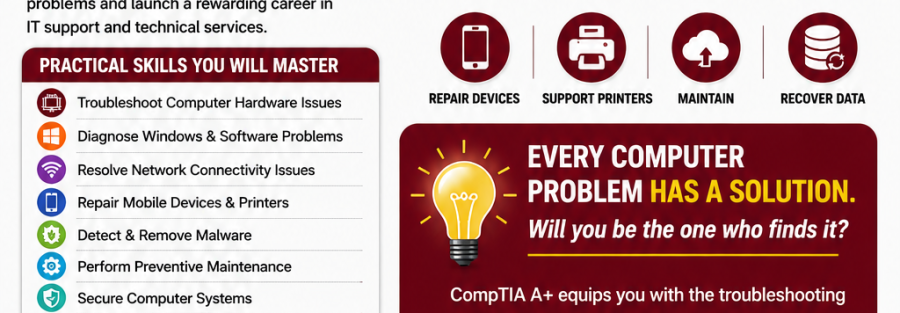
Every Computer Problem Has a Solution-Will You Be the One Who Finds It?
Imagine walking into an office where employees cannot access the internet, a manager’s laptop refuses to boot before an important presentation, and a printer has suddenly stopped working without warning. Most people see frustration and confusion, but you see an opportunity to diagnose the problem, identify the underlying cause, and restore everything to normal operation quickly and efficiently. That is exactly what CompTIA A+ prepares you to do, transforming you from an ordinary computer user into a skilled problem solver who can tackle technology challenges with confidence . Technology powers nearly every organization today, from banks and hospitals to schools and government institutions, all of which depend on computers, networks, and mobile devices to operate efficiently and serve their clients effectively. When these systems fail, organizations need professionals who can troubleshoot problems quickly and maintain systems before minor issues become major disasters that disrupt entire operations. If you are looking to build a career in IT support, help desk services, systems administration, or technical support, mastering troubleshooting and maintenance skills is one of the smartest investments you can make in your professional future.
Why Troubleshooting Skills Matter More Than Ever
Every organization relies on technology to conduct daily business operations, store critical data, and communicate with clients and partners across the globe. Computers store critical business data, cloud platforms support remote work arrangements, and mobile devices keep employees connected wherever they are located around the world. Unfortunately, technology is not perfect and will inevitably experience problems, as hardware fails, software crashes, operating systems become corrupted, and networks experience unexpected outages that bring productivity to a halt. This is where your troubleshooting skills become invaluable, as you possess the ability to restore normal operations when others are left waiting helplessly. Instead of replacing expensive equipment unnecessarily, skilled technicians identify the real cause of problems, diagnose faults methodically, implement the correct solution, and prevent similar issues from occurring again in the future. This ability saves organizations significant time and money while ensuring business continuity, which is why CompTIA A+ is globally recognized for developing exactly these practical problem-solving abilities that employers desperately need. Learn more about the certification and its value from the CompTIA certification overview to understand how this credential can transform your career prospects .
Developing a Troubleshooter’s Mindset
One of the first things you will learn when pursuing CompTIA A+ certification is that successful troubleshooting is not based on guesswork or random experimentation with different solutions. Rather than trying random solutions that may or may not work, you will develop a structured approach to solving technical problems that follows a logical and proven methodology. You will learn how to identify symptoms accurately, gather relevant information from users and system logs, test possible causes systematically, verify solutions before implementing them fully, and document your findings for future reference and continuous improvement. This systematic process allows you to solve problems efficiently while minimizing downtime for users, which is critical in fast-paced business environments where every minute of lost productivity costs money. More importantly, it builds confidence because you understand exactly why a solution works instead of simply memorizing fixes without understanding the underlying principles. Employers highly value technicians who can think critically under pressure and approach problems methodically rather than panicking or resorting to trial and error.
Hardware Troubleshooting Skills You’ll Master
Hardware failures remain one of the most common IT support challenges that technicians encounter on a daily basis in virtually every organization. CompTIA A+ provides extensive practical knowledge that enables you to identify and repair faulty computer components with precision and confidence, saving organizations from unnecessary equipment replacement costs. You will learn how to diagnose failing hard drives before they completely stop working, recognizing warning signs such as unusual noises, slow performance, and frequent errors that indicate impending failure. You will understand how defective RAM causes blue screen errors and unexpected crashes that frustrate users and disrupt productivity, and you will also discover how faulty power supplies create startup failures and random shutdowns that can be mistaken for more serious problems. The course teaches you to troubleshoot desktop computers, laptops, motherboards, CPUs, memory modules, storage devices, power supplies, graphics cards, cooling systems, and peripheral devices such as keyboards, mice, and external drives . Instead of replacing entire computers when problems occur, you will confidently determine which individual component requires repair or replacement, saving your organization substantial amounts of money over time.
Operating System Troubleshooting
Modern organizations rely heavily on Windows operating systems for their daily operations, although many also use Linux and macOS environments for specialized purposes and applications. CompTIA A+ equips you with the skills needed to diagnose operating system problems including Windows startup failures that prevent computers from booting properly, slow system performance that frustrates users and reduces productivity, driver conflicts that cause hardware to malfunction, application crashes that interrupt important work, update failures that leave systems vulnerable to security threats, corrupted system files that cause unpredictable behavior, and boot configuration errors that prevent operating systems from loading . You will also learn how to use powerful Windows troubleshooting tools such as Event Viewer for analyzing system logs, Device Manager for managing hardware drivers, Task Manager for monitoring performance and managing processes, System Restore for rolling back to stable configurations, Safe Mode for diagnosing problems in minimal environments, Recovery Environment for repairing damaged installations, and Command Prompt utilities for advanced troubleshooting tasks. These tools help you quickly identify the root cause of software-related issues rather than spending hours searching for answers online, making you far more efficient and effective as a support professional. The certification covers a broad diversity of knowledge required of technicians today, making it relevant to many more job roles than just PC repair .
Software Troubleshooting and Application Support
Software issues frustrate users every single day in organizations of all sizes, from small businesses to large multinational corporations with thousands of employees. Applications freeze unexpectedly when users are in the middle of important work, installations fail for mysterious reasons that are not immediately obvious, and programs suddenly refuse to open after updates that were supposed to improve functionality and security. CompTIA A+ teaches you how to diagnose software conflicts between different applications, resolve installation problems that prevent users from accessing necessary tools, identify compatibility issues between software and operating systems, and safely remove corrupted applications that cause system instability and performance problems . You will also understand how different software interacts with operating systems, hardware components, and security settings, making it much easier to identify hidden causes of recurring problems that might otherwise remain unsolved for extended periods. These practical skills make you a valuable member of any IT support team because you can resolve application issues quickly without requiring escalation to more senior technicians or software developers. Employers appreciate technicians who can handle the full range of software problems independently, reducing the burden on specialized teams and improving overall service delivery.
Network Troubleshooting Skills
Many users automatically blame “the internet” whenever something goes wrong with their computers, applications, or online services, but as a CompTIA A+ professional, you will know better than to accept such vague explanations. You will learn how to isolate network problems by checking cables for physical damage or loose connections, examining switches and routers for proper operation, verifying wireless access points are functioning correctly, inspecting DNS settings that translate domain names to IP addresses, reviewing IP configuration for addressing conflicts, and testing internet connectivity to determine whether external services are accessible . Instead of assuming the network is completely down, you will systematically determine whether the issue originates from the user’s device, the local network infrastructure, or the internet service provider responsible for external connectivity. This methodical approach prevents wasted time and effort on incorrect assumptions, allowing you to resolve network problems more quickly and restore connectivity for affected users. CompTIA A+ validates that certification-holders can troubleshoot across all operating systems, including Windows, macOS, Chrome OS, Android, and Linux OS .
Mobile Device Troubleshooting
Today’s workplace depends heavily on smartphones, tablets, and hybrid devices that combine features of both traditional computers and mobile platforms. Employees use these devices for email, calendar management, document editing, collaboration, and countless other business functions that keep organizations running smoothly. CompTIA A+ teaches you how to troubleshoot Android and Apple devices by diagnosing battery issues that cause devices to drain rapidly, charging failures that prevent devices from powering up, wireless connectivity problems that disrupt communication and access to cloud resources, application errors that prevent users from performing essential tasks, and synchronization issues that cause data inconsistencies between devices and cloud services . You will also understand mobile device configuration, security settings such as passcodes and biometric authentication, and remote management techniques used by modern organizations to secure and support distributed workforces. As businesses continue embracing mobile technology for an increasingly remote and hybrid workforce, these skills are becoming increasingly valuable and sought after by employers across all industries.
Printer Troubleshooting
Although businesses continue moving toward digital operations and paperless workflows, printers remain essential in many workplaces for producing contracts, invoices, reports, marketing materials, and other physical documents. Printer problems can significantly disrupt productivity when employees cannot print important documents for meetings, client presentations, or regulatory compliance purposes. You will learn how to diagnose paper jams that stop printing entirely, print quality issues such as streaks, smudges, or faded text, toner problems that cause inconsistent output, connectivity failures that prevent computers from communicating with printers, driver conflicts that cause printing errors, and print spooler errors that prevent documents from reaching the printer queue . More importantly, you will understand preventive maintenance practices such as regular cleaning, timely consumable replacement, and firmware updates that reduce recurring printer failures and extend equipment lifespan. A technician who can quickly restore printing services often becomes an indispensable member of the IT department because printing problems are both common and highly visible to end users.
Preventive Maintenance: Solving Problems Before They Happen
One of the biggest lessons you will learn in CompTIA A+ is that the best IT professionals do not wait for equipment to fail before taking action. Instead, they practice preventive maintenance to keep systems running efficiently and extend the lifespan of hardware, reducing the frequency and severity of unexpected failures. Organizations save thousands of shillings every year simply by preventing avoidable failures before they interrupt business operations and cause costly downtime that affects productivity and revenue. You will learn how to perform routine inspections that identify potential problems early, clean computer components safely to prevent overheating and dust-related failures, replace worn-out parts before they fail completely, update firmware and drivers to address known issues and security vulnerabilities, monitor system temperatures to prevent thermal damage, and ensure adequate ventilation for proper cooling. Preventive maintenance also includes checking storage health using diagnostic tools, testing backup systems to verify recoverability, updating antivirus software to protect against emerging threats, and applying operating system patches to address security vulnerabilities and improve stability. By developing these habits, you will reduce downtime, improve system reliability, and become a trusted IT professional who keeps businesses productive rather than constantly reacting to emergencies that could have been prevented .
Cybersecurity Troubleshooting
Cybersecurity is no longer the responsibility of security specialists alone, as every IT support professional plays a critical role in protecting organizational systems from cyber threats. CompTIA A+ introduces you to the security best practices expected in modern workplaces, helping you understand how to identify and respond to security incidents before they cause significant damage . You will learn how to identify suspicious system behaviour that may indicate compromise, detect malware infections through various symptoms and indicators, recognize phishing attempts that target unsuspecting employees, and secure endpoints against unauthorized access using appropriate controls and configurations. The course also teaches you how to configure user accounts with appropriate permissions, implement password policies that enforce strong authentication, manage permissions to restrict access to sensitive data, and apply security updates to reduce vulnerabilities that attackers could exploit . Understanding cybersecurity troubleshooting makes you a more valuable technician because many computer issues today are caused by malicious software rather than hardware failures, and organizations need professionals who can address both technical problems and security concerns effectively. CompTIA A+ serves as an excellent springboard for those looking to work in cybersecurity, providing the core foundational skills needed before layering knowledge with more advanced certifications like CompTIA Security+ .
Malware Detection and Removal
Few situations frustrate users more than a computer infected with viruses, ransomware, or other forms of malicious software that compromise their work and personal information. Malware can slow down systems dramatically, corrupt important files beyond recovery, steal sensitive information such as passwords and financial data, and completely disrupt business operations by encrypting critical data or deleting essential files. CompTIA A+ teaches you how to identify symptoms of malware infections such as unexpected pop-ups, system slowdowns, unauthorized network activity, and file modifications, allowing you to respond quickly before damage spreads . You will learn how to isolate infected devices to prevent malware from spreading to other systems, remove malicious software safely using appropriate tools and techniques, and restore systems to normal operation without compromising valuable user data that may be required for business continuity. Perhaps even more importantly, you will understand how to educate users about safe computing practices that reduce the risk of future infections, such as avoiding suspicious email attachments, being cautious about downloading software from untrusted sources, and maintaining up-to-date antivirus protection. Prevention is always easier and less expensive than recovery, making your role as an educator just as important as your role as a technician.
Data Backup and Disaster Recovery
Imagine losing years of financial records, customer databases, project documents, or critical business applications because a hard drive failed unexpectedly without warning. For many organizations, data is their most valuable asset, and losing that data can be catastrophic, potentially threatening the very survival of the business. CompTIA A+ introduces you to essential backup and recovery strategies that protect businesses from data loss, helping you understand the importance of regular backups and proper recovery procedures. You will understand different backup methods including full backups, incremental backups, and differential backups, each with specific advantages and disadvantages depending on organizational requirements. You will explore cloud storage solutions that provide off-site protection against local disasters, recovery procedures that outline step-by-step processes for restoring data from backups, and disaster recovery planning that ensures business continuity in the face of major incidents. You will also learn why testing backups is just as important as creating them, as a backup that cannot be restored provides little value during an emergency when every minute counts. These practical skills enable you to support business continuity and minimize the impact of unexpected failures, making you an indispensable asset to any organization that values its data.
Documentation and Professional IT Support
Many new technicians underestimate the importance of documentation, viewing it as administrative overhead rather than an essential part of professional IT support. However, experienced IT professionals know that clear documentation improves efficiency, supports teamwork, and reduces future troubleshooting time by providing a historical record of problems and solutions. CompTIA A+ teaches you how to document technical issues accurately, recording symptoms, troubleshooting steps attempted, solutions implemented, and outcomes achieved in a clear and organized manner . You will learn how to maintain service records that track equipment history, repair activities, and maintenance schedules, enabling better asset management and more informed decision-making. You will also learn how to communicate solutions effectively to both technical colleagues and non-technical users, translating complex technical concepts into clear, actionable information that everyone can understand. Good documentation allows colleagues to understand previous work performed on systems, identify recurring issues that may indicate underlying problems, and provide faster support to users by referencing established solutions rather than starting from scratch each time. Professional documentation also demonstrates accountability and helps organizations maintain compliance with internal policies and industry standards, which is increasingly important in regulated industries and sectors.
Customer Service Skills Every Technician Needs
Technical knowledge alone will not guarantee success in IT support, as you will often work directly with people who may be frustrated, stressed, or unfamiliar with technology and its limitations. CompTIA A+ therefore emphasizes customer service alongside technical expertise, recognizing that how you interact with users is just as important as your ability to solve technical problems . You will learn how to communicate clearly, using language that non-technical users can understand without condescension or excessive jargon that confuses rather than clarifies. You will learn how to listen actively, paying attention to what users are saying and asking probing questions to gather all relevant information about the problem they are experiencing. You will also develop professionalism, patience, and empathy when assisting clients, understanding that users may be stressed about deadlines, frustrated by recurring problems, or anxious about their own lack of technical knowledge. These soft skills often distinguish outstanding IT professionals from average technicians and can significantly influence career progression, as employers value technicians who can maintain positive relationships with users while resolving technical issues effectively. The ability to remain calm under pressure and maintain a helpful, supportive attitude even when users are difficult or demanding is a hallmark of truly exceptional IT support professionals .
Remote Troubleshooting in Today’s Digital Workplace
The rise of remote and hybrid working arrangements has transformed the way organizations deliver IT support to their employees and clients. Instead of visiting every user physically, technicians increasingly solve problems remotely using secure support tools that allow them to access systems from anywhere in the world. CompTIA A+ introduces you to remote desktop technologies that enable you to view and control users’ computers as if you were sitting at their desk, remote assistance software that facilitates collaborative troubleshooting, and cloud-based management platforms that provide visibility and control over distributed devices. You will learn how to diagnose issues remotely, identifying problems and implementing solutions without requiring physical access to the affected hardware, which is essential when supporting remote workers in different locations. You will also learn how to maintain data security and protect user privacy during remote support sessions, ensuring that sensitive information is not exposed or compromised while you are working remotely. These skills are highly sought after because organizations now support employees working from offices, homes, and multiple locations around the world, and they need technicians who can provide effective support regardless of where users are located.
Career Opportunities After CompTIA A+
The troubleshooting and maintenance skills you gain through CompTIA A+ open doors to numerous career opportunities across virtually every industry and organization type. Employers recognize the certification as proof that you possess practical, job-ready technical skills that can be applied immediately in real-world work environments. After completing CompTIA A+, you can pursue roles such as IT Support Specialist who resolves daily user issues, Help Desk Technician who provides first-line support to internal and external customers, Desktop Support Analyst who maintains and repairs computer systems, Field Service Technician who travels to client sites for on-site support, and Junior Systems Administrator who manages servers and network infrastructure . Many professionals also use CompTIA A+ as a stepping stone toward advanced certifications in networking, cybersecurity, and cloud computing, building on their foundation to develop specialized expertise in high-demand areas. According to the CompTIA Career Roadmap, A+ serves as an excellent foundation for certifications such as CompTIA Network+ and CompTIA Security+, enabling you to continue growing your expertise throughout your career and increasing your earning potential . Explore the CompTIA exam objectives to understand the specific skills and knowledge areas covered in the certification .
Why Study CompTIA A+ at the Institute of Advanced Technology (IAT)?
Choosing the right training institution is just as important as choosing the right certification, as the quality of your education directly affects your readiness for the certification examination and your future career. At the Institute of Advanced Technology (IAT), you will gain far more than theoretical knowledge, as you will receive practical, hands-on training designed to prepare you for real workplace challenges you will encounter as an IT professional . Experienced instructors guide you through hardware assembly, operating system installation, software troubleshooting, networking fundamentals, and cybersecurity practices using industry-relevant equipment that reflects what you will encounter in actual work environments. Practical laboratory sessions help reinforce classroom learning, allowing you to develop confidence while working with real computer systems rather than simply reading about them in textbooks or watching demonstrations. IAT also prepares you for the internationally recognized CompTIA A+ certification examination through targeted study materials, practice tests, and exam strategies that maximize your chances of success on the first attempt. The institution also equips you with employability skills valued by employers across Kenya and beyond, including resume writing, interview preparation, and professional communication that help you stand out in the competitive job market. To learn more about the programme, visit the IAT ICT courses page or contact the admissions team to explore upcoming intakes and start your journey toward certification .
Your Future Begins with One Skill
Technology will continue evolving at an unprecedented pace, with new innovations, platforms, and challenges emerging constantly across the IT landscape. However, one thing remains constant throughout all these changes: organizations will always need professionals who can solve technical problems quickly and effectively, regardless of the specific technologies involved. Troubleshooting is more than fixing computers, as it is about restoring productivity, protecting business operations, and helping people accomplish their work with confidence and minimal disruption. Whether you are beginning your IT career, changing professions from another field, or looking to upgrade your technical skills to remain competitive in the job market, CompTIA A+ provides the practical foundation needed to succeed in this dynamic and rewarding field. The troubleshooting and maintenance skills you develop today can open doors to rewarding opportunities tomorrow, setting you on a path toward professional growth and career satisfaction. Invest in your future by mastering the skills employers trust, and you will be well-positioned to take advantage of the countless opportunities available in the ever-expanding world of information technology. With the right training, practical experience, and internationally recognized certification, you will be ready to solve real-world technology challenges with confidence and competence.
A Skill Required Every Where
Mastering CompTIA A+ troubleshooting and maintenance skills represents one of the most important investments you can make in your professional development and career future. The demand for qualified IT support professionals continues growing as organizations of all sizes become increasingly dependent on technology for their daily operations and strategic initiatives. By earning this globally recognized certification, you demonstrate to employers that you possess the practical skills, technical knowledge, and professional attitude required to succeed in the fast-paced world of IT support and services . The comprehensive training you receive covers everything from hardware and software troubleshooting to networking, mobile devices, cybersecurity, and customer service, preparing you for a wide range of roles across various industries. The CompTIA A+ certification is recognized by the U.S. Department of Defense (DoD) as an approved credential for technical support specialist, system administrator, and cyber defense infrastructure support specialist roles .
What Next?
Ready to become a certified IT support professional who can solve technology problems with confidence and expertise? Enrol in the CompTIA A+ Certification Programme at the Institute of Advanced Technology (IAT) and develop the troubleshooting and maintenance skills employers are actively seeking in today’s competitive job market . Through hands-on practical training, expert instruction, and certification-focused learning, you will be equipped to launch a successful career in IT support, technical services, and systems administration that offers stability, growth potential, and personal satisfaction. Visit the IAT website to learn more about the programme, view upcoming class schedules, and begin your journey toward becoming a globally recognized IT professional who makes a real difference in organizations every day. For those interested in further specialization, IAT also offers advanced programmes in Cyber Security and other ICT disciplines to support your continued professional growth .
About the Blog Article Writer
Dennis Njeru is a technology writer and educator with a focus on demystifying complex hardware concepts for a broad audience. Through this work, he demonstrates a deep understanding of modern trouble shooting .He is passionate about bridging the gap between theoretical knowledge and practical, industry-relevant skills, consistently connecting technical principles to real-world business applications. His writing, as seen in this article, positions him as an advocate for practical ICT education, particularly promoting the value of undertaking the CompTIA path certification.